Brown's Triple Exponential Smoothing is implemented on data showing a quadratic trend over time. It works well for data that has a very steep growth or decline. The Brown's Triple Exponential Smoothing method attempts to create a linear equation by performing three simple exponential smoothing forecasts and then adjusting for the linear trend in the data.
To use the Triple Brown Forecasting technique:
- Click the Forecast Method tab.
- From the Forecast Technique menu, scroll through the list of methods and select Triple Exponential Smoothing Brown. The Triple Exponential Smoothing Brown Forecasting technique appears.
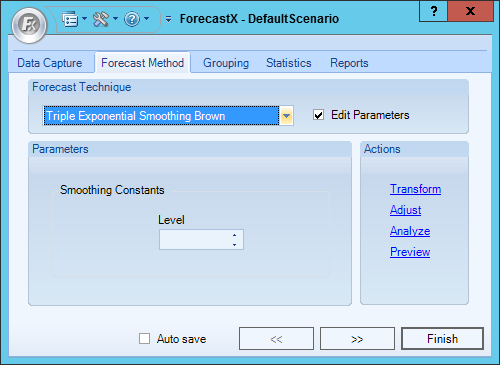
- Enable the Edit Parameters checkbox to activate Triple Brown’s parameters.
- In the Smoothing Constants section, enter the number of levels.
- Click Finish.
Comments
0 comments
Please sign in to leave a comment.