The Probit Curve is one of the three new product models used in the New Product forecasting method, but it is also a stand-alone forecasting technique. For additional information, see New Product Forecasting.
To use Probit Curve forecasting technique:
- Click the Forecast Method tab.
- From the Forecast Technique menu, scroll through the list of methods and select Probit Curve. The Probit Curve Forecasting technique appears.
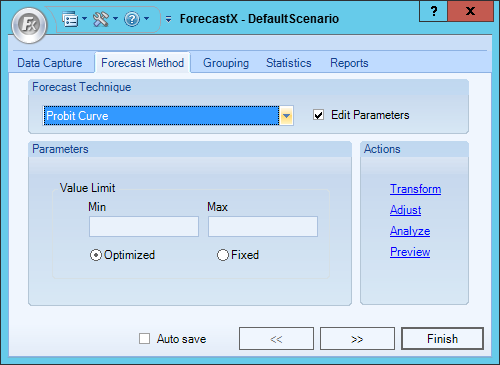
- Enable the Edit Parameters checkbox to activate Probit Curve’s parameters.
- In the Value Limit section, select the minimum and maximum values.
- Select either Optimized or Fixed.
Option Description Optimized Optimize the maximum value specified. The maximum value might be changed to a value lower than specified but this is done to optimize the forecast generated. Fixed Maximum value set is used as the maximum for the created forecast. - Click Finish.
Comments
0 comments
Please sign in to leave a comment.