Applies To
Windows Operating System
- Windows 10
- Windows 7
Microsoft Office System
- Office 365
- Office 2016
- Office 2013
Symptom
The Add-In tab is not displayed in Excel.
Solution
- Go to File > Options.
- Click the Customize Ribbon tab on the right side of the Excel Options window.
- In the right-hand Customize the Ribbon menu, select All Tabs or Main Tabs.
- Confirm that the Add-Ins checkbox is enabled.
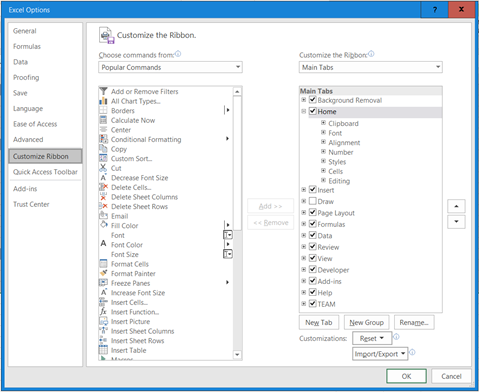
- Click OK.
Comments
0 comments
Please sign in to leave a comment.