Applies to: All Forecastx versions
Office versions: All
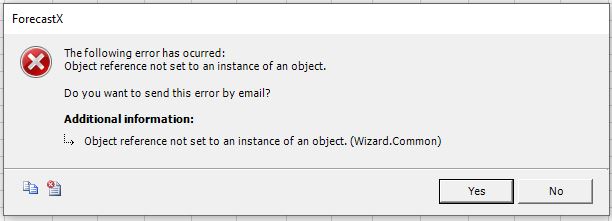
Symptom: When trying to open the forecastx menu, it doesn't opens up but instead prompts the error message: "Object reference not set to an instance.", preventing from using the Forecastx.
Solution
Please follow these steps to troubleshoot your Forecastx (sidenote: you must have admin rights to proceed):
- Uninstall the forecastx
- Delete all leftover files
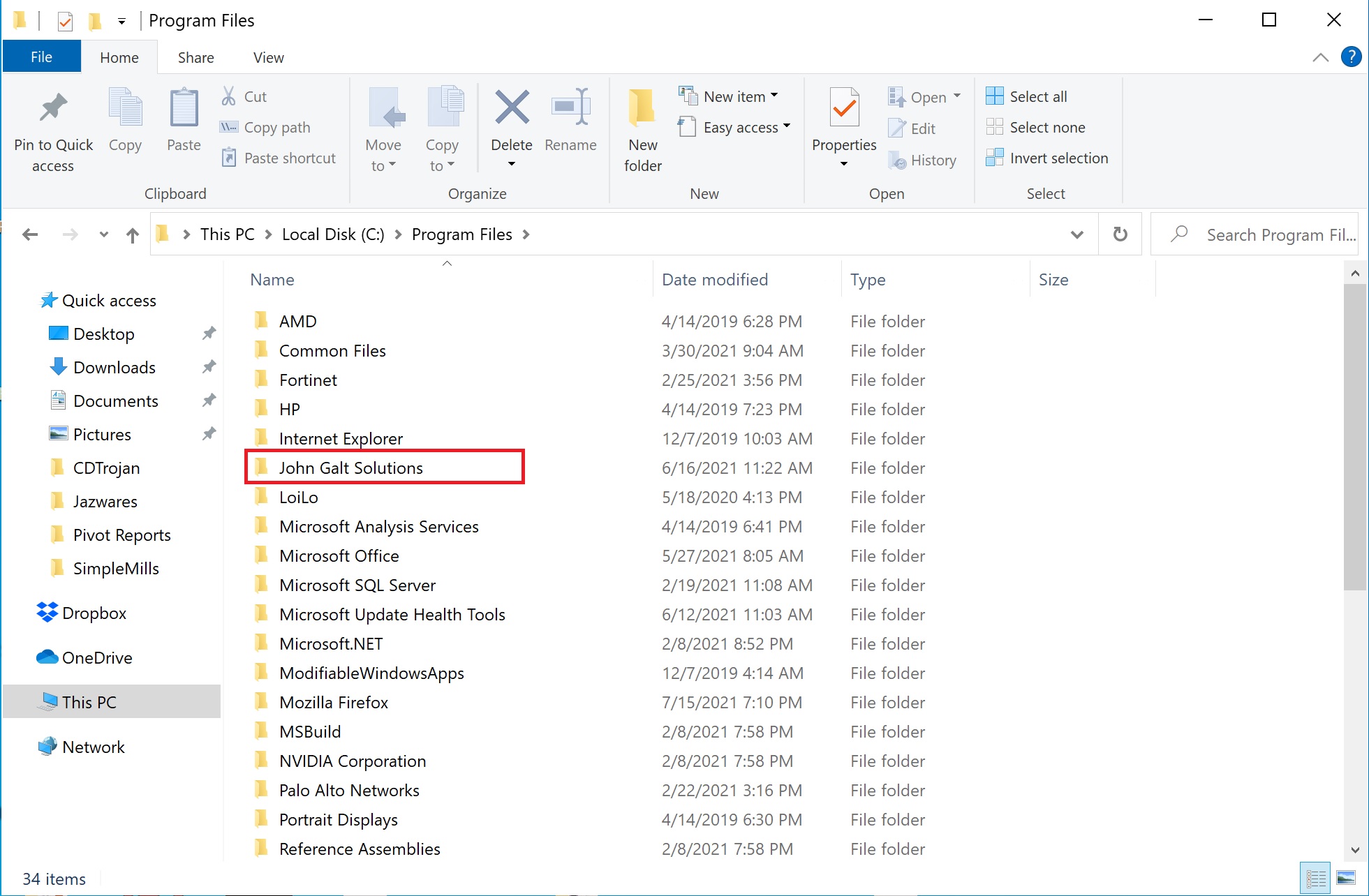
"my forecasts" from documents folder "john galt solutions" from c:\program files or c:\program files x86
 "forecast" and "john galt solutions" from c:\programdata (sidenote: this one is a Windows system hidden folder)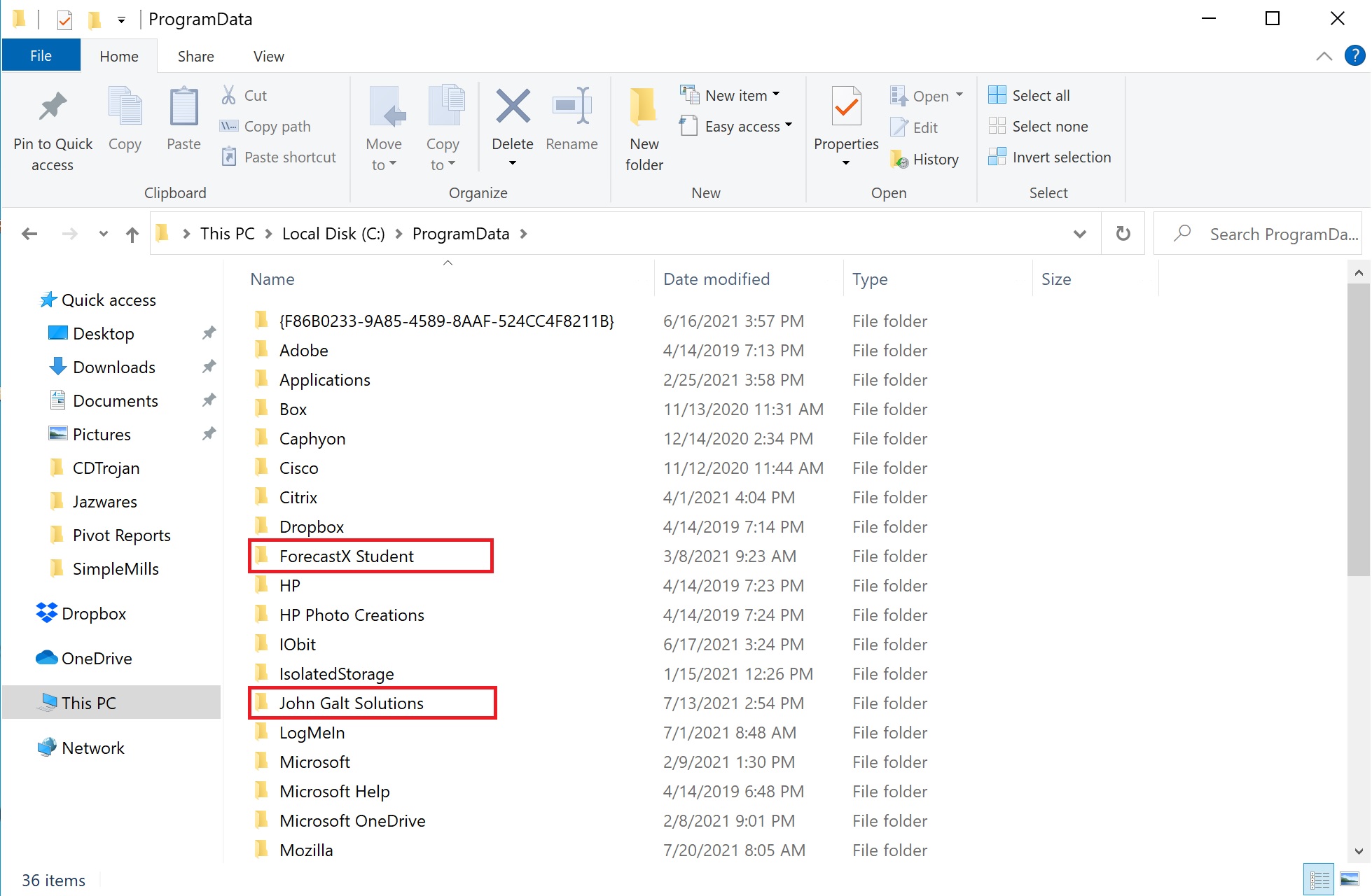
- Disable the anti-virus for the duration of the entire process (optional)
- Run the office auto repair option
Go to settings/apps and choose modify.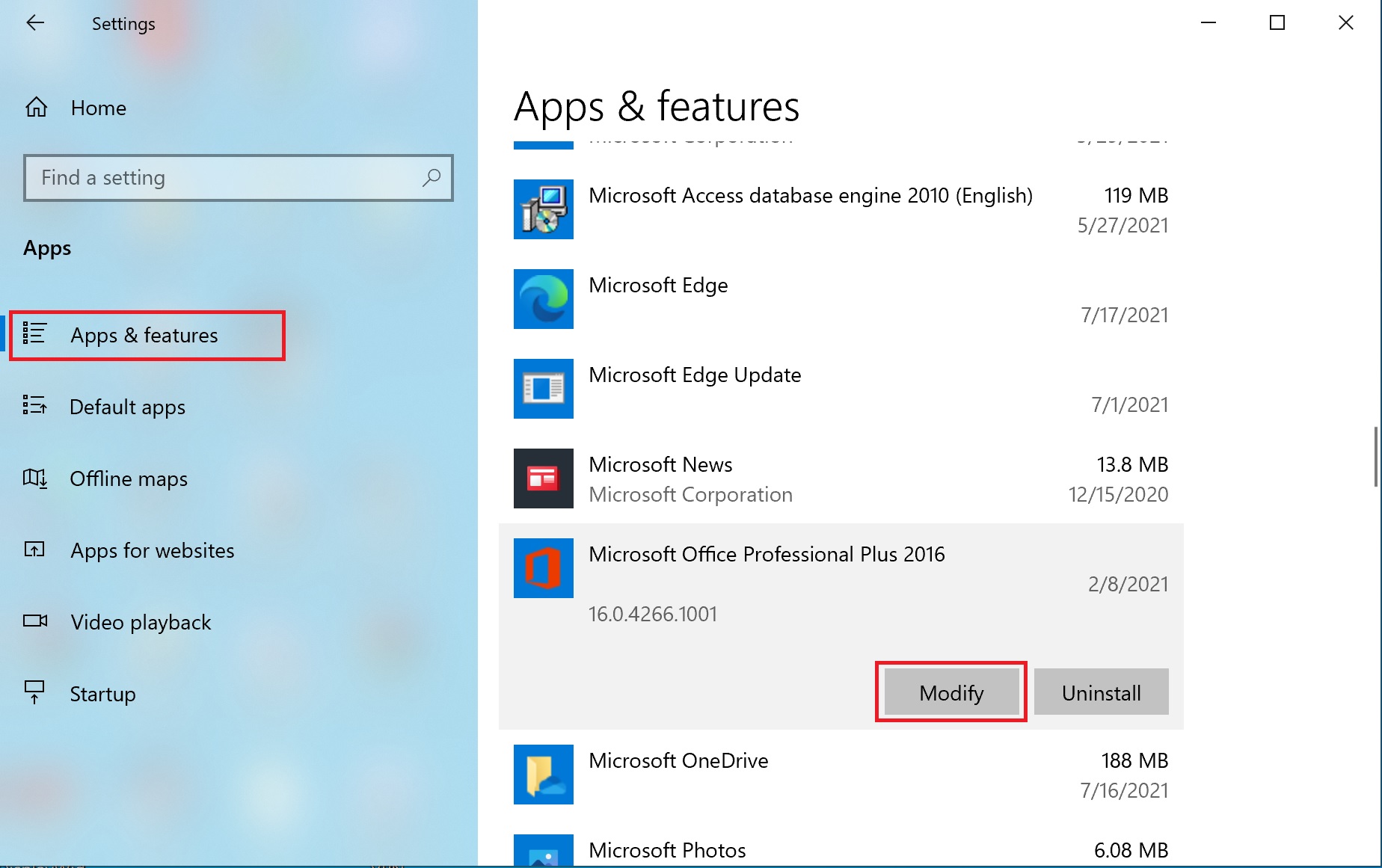 You can select the quick repair, but it is mostly recommended to use the online repair.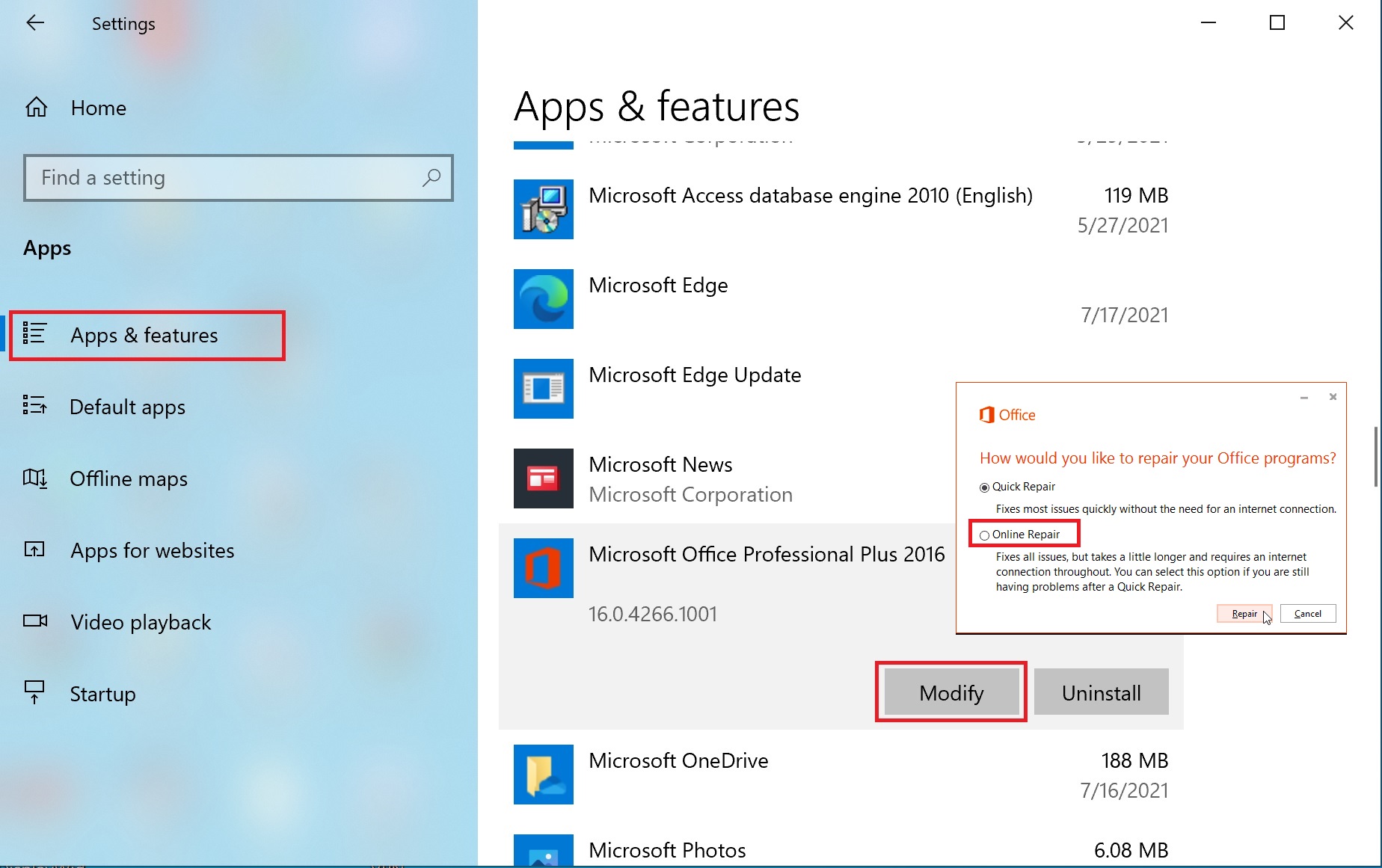
- Install the forecastx making sure it is done with admin privileges.
Comments
0 comments
Please sign in to leave a comment.